
Get paid without the back-and-forth.
Share the invoice breakdown before you issue it, record every advance and installment, and keep each invoice tied to the work in your budget.
Your client follows the same ledger, so what’s invoiced, what’s been paid and what’s left to collect never needs a reconciliation call.
One shared ledger
Every invoice and payment, and what’s left.
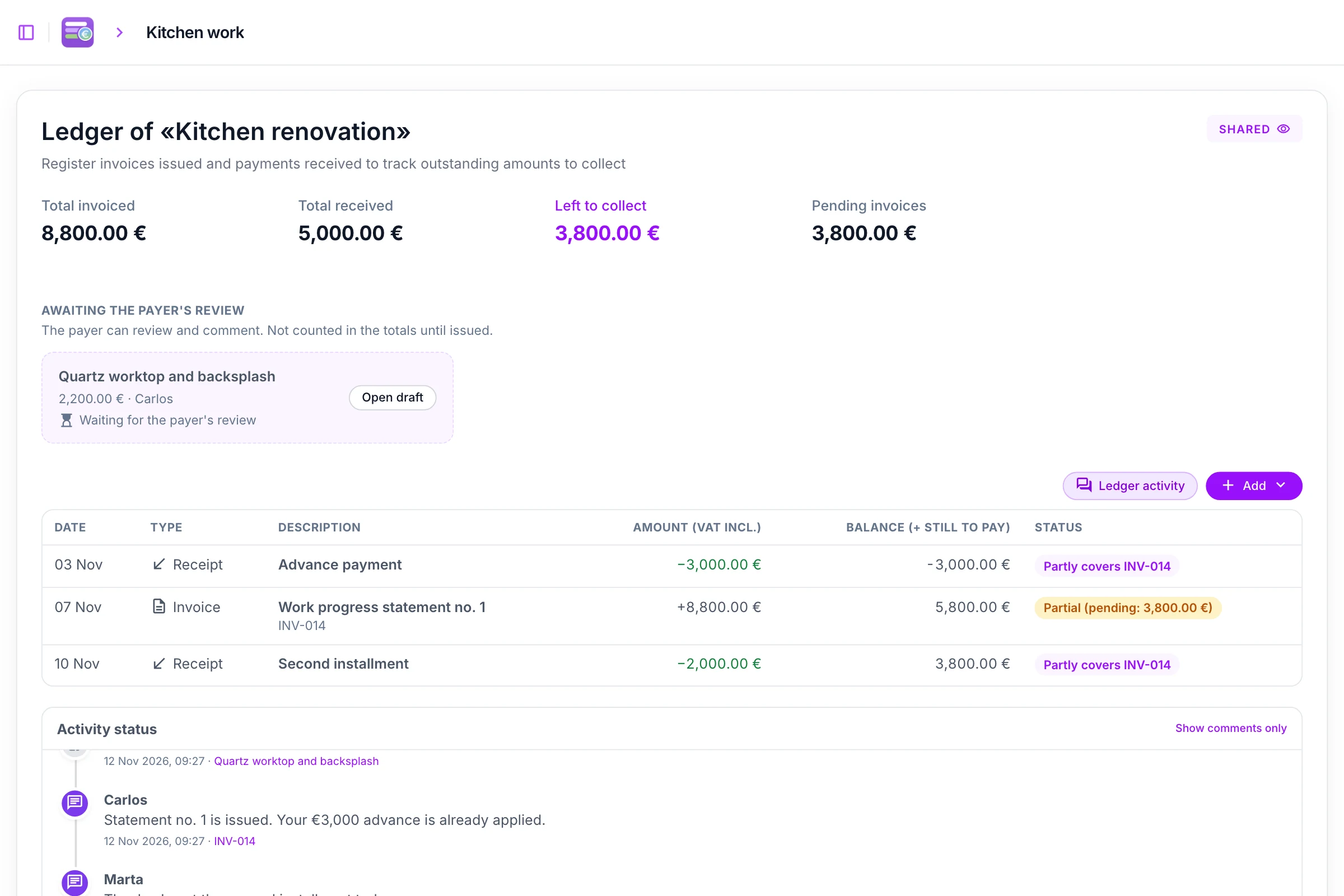
Invoices, advances and installments sit in one ledger with a running balance. Totals count issued invoices only, so a proposal still under discussion never inflates what’s due.
- Invoiced, paid and outstanding totals, VAT included.
- Each payment shows the invoice it covers, fully or in part.
- Proposed invoices wait in their own space until they’re issued.
Tied to the budget
Invoice the work that was done, not a figure typed by hand.
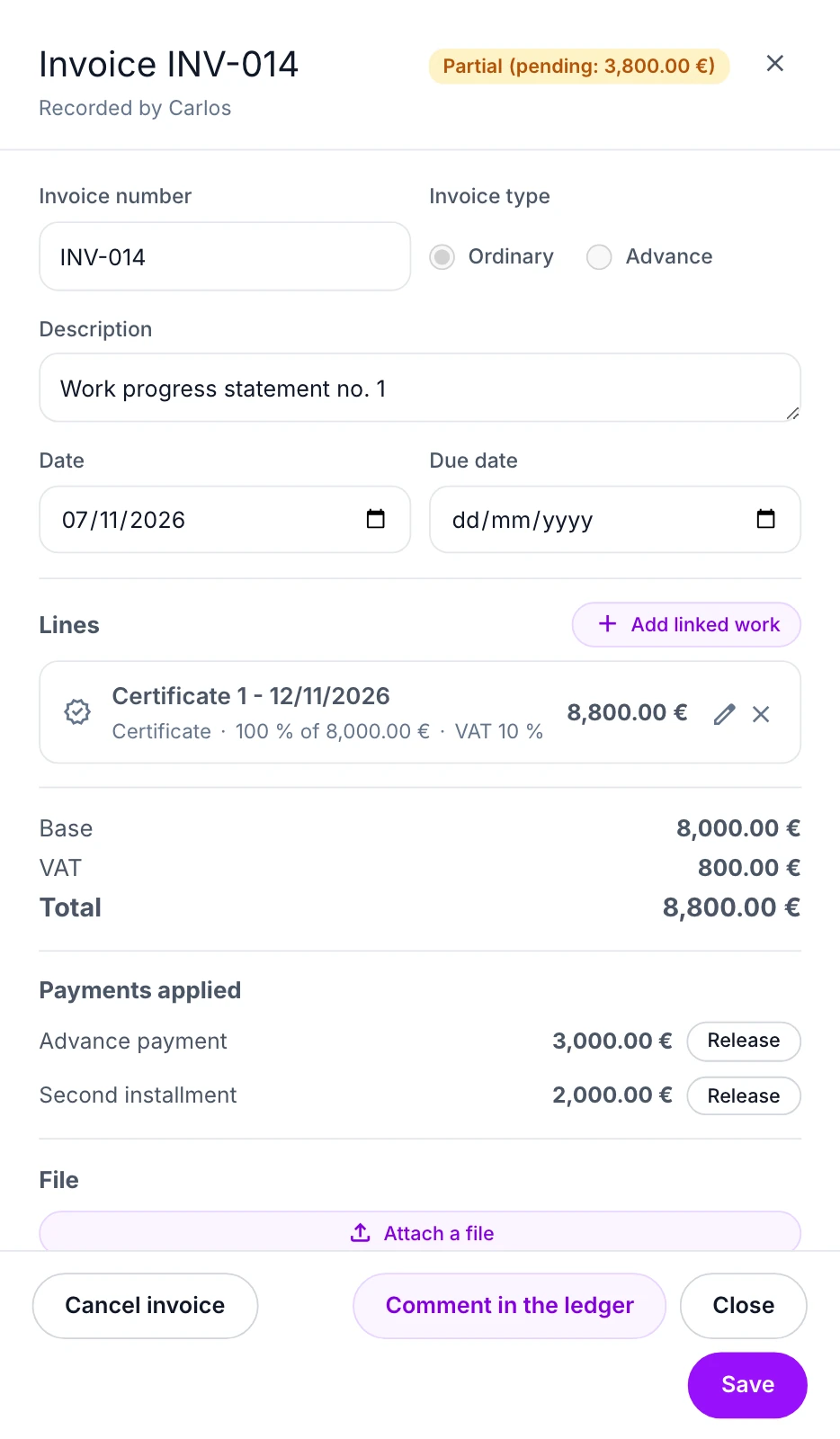
Build invoice lines from a certificate, a budget item’s executed amount or a single measurement. Each line keeps its link to the budget, so everyone can see what has already been billed.
- Link a line to a certificate, a budget item or a measurement, or add a free line.
- Presuo warns you before saving when linked work would be billed beyond what was executed.
- It also flags a duplicate invoice number, or a document total that doesn’t match the lines.
Review before issue
Agree on the invoice before it counts.
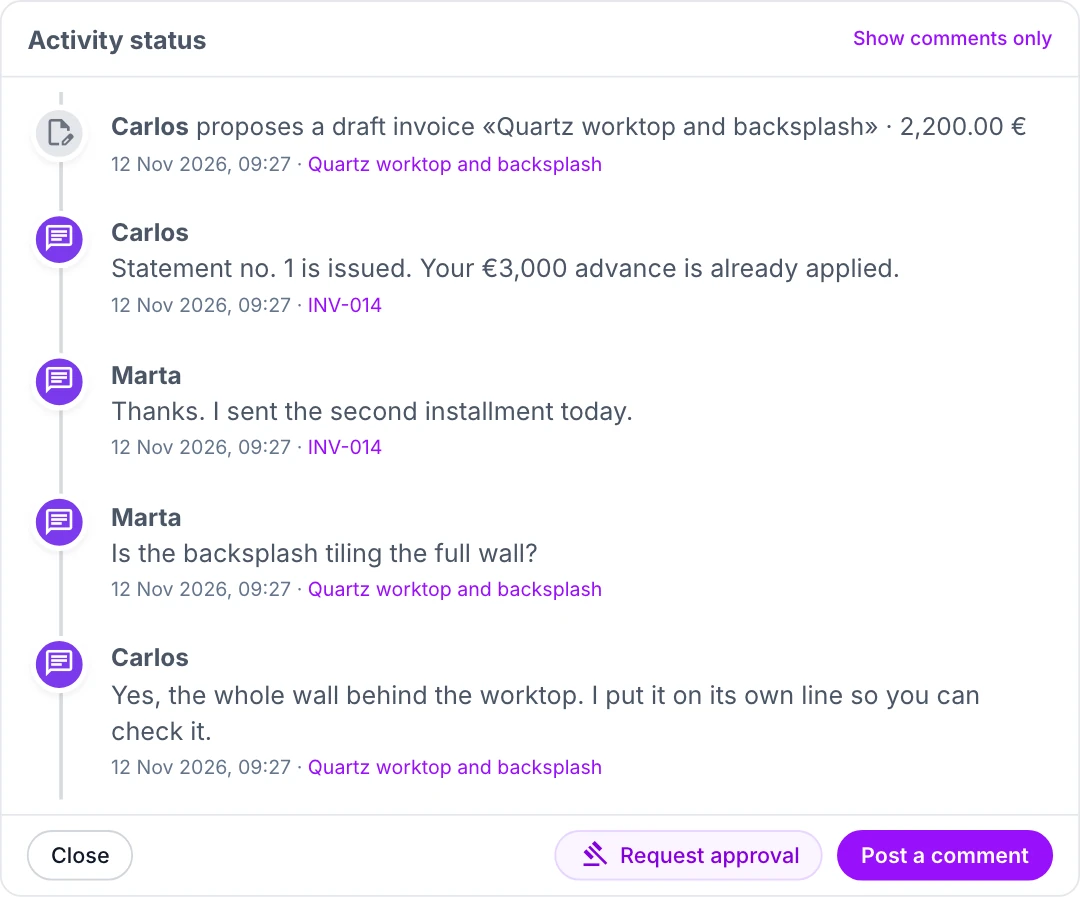
Propose an invoice as a draft. Your client opens the breakdown, asks about a line in the ledger, and you answer before anything is issued.
- Base, VAT and total for each line, exactly as they will be invoiced.
- Questions and answers stay attached to the invoice they’re about.
- A proposed invoice stays out of the totals until the invoicer issues it.
One ledger, two sides
The same figures, in each side’s words.
Contractors see what’s left to collect, homeowners see what’s left to pay. Amounts, statuses and calculations are identical for both.
Read this page as a homeownerContractor’s view
- Total invoiced
- 8,800.00 €
- Total received
- 5,000.00 €
- Left to collect
- 3,800.00 €
Homeowner’s view
- Total invoiced
- 8,800.00 €
- Total paid
- 5,000.00 €
- Left to pay
- 3,800.00 €
On your terms
Start privately. Share when ready.
Set up a ledger on your own, then invite your contractor or client when you want to review the same records together.
- 1
Create the ledger
Attach it to the project budget and record what you already have.
- 2
Record invoices and payments
Add an invoice, an advance or a payment, with its file if you have one.
- 3
Invite the other side
They see the same records and can comment. Other project members don’t get access automatically.
Questions about invoices and payments
Can I record a payment before there is an invoice?
Yes. Record the payment first, then apply it to an invoice when one is available.
Can an invoice be paid in several installments?
Yes. Record each payment against the invoice and follow the remaining balance in the ledger.
Does my contractor or client need to join before I start?
No. You can start a ledger privately and invite the other person when you are ready to share it.
Who can see the ledger?
Only people invited to that ledger can see its records, documents and discussion. Other project members do not get access automatically.
Does Presuo send or collect the money?
No. Presuo records invoices and payments made outside it, so both sides agree on the figures. It doesn’t move money.
Keep the work, invoices and payments in one place.
Start with your own records, then bring the other side into the same ledger when you’re ready.